Edit Efficiency - Small Edits
How it works
Plasmidsaurus Edit Efficiency - Small Edits uses Oxford Nanopore Technologies long-read sequencing to measure editing efficiency in your amplicon at the targeted cut site. The service identifies each edit site in your amplicon and reports editing efficiency and knockout rate for every sample in your order.
Each sample should contain a single PCR amplicon spanning the edited region. Edit Efficiency - Small Edits is designed to detect indels and large deletions produced by non-homologous end joining (NHEJ). Other editing outcomes, such as homology-directed repair (HDR), base editing, prime editing, and large insertions, are not currently supported. Upload the reference sequence of your unedited amplicon with every order for the most accurate results. Uploading a guide RNA (gRNA) is optional because the analysis infers the cut site from your sequencing data. If auto-detection fails, upload your gRNA sequence to set the cut site correctly. This most often helps when multiple gRNAs target the same amplicon or editing efficiency is low.
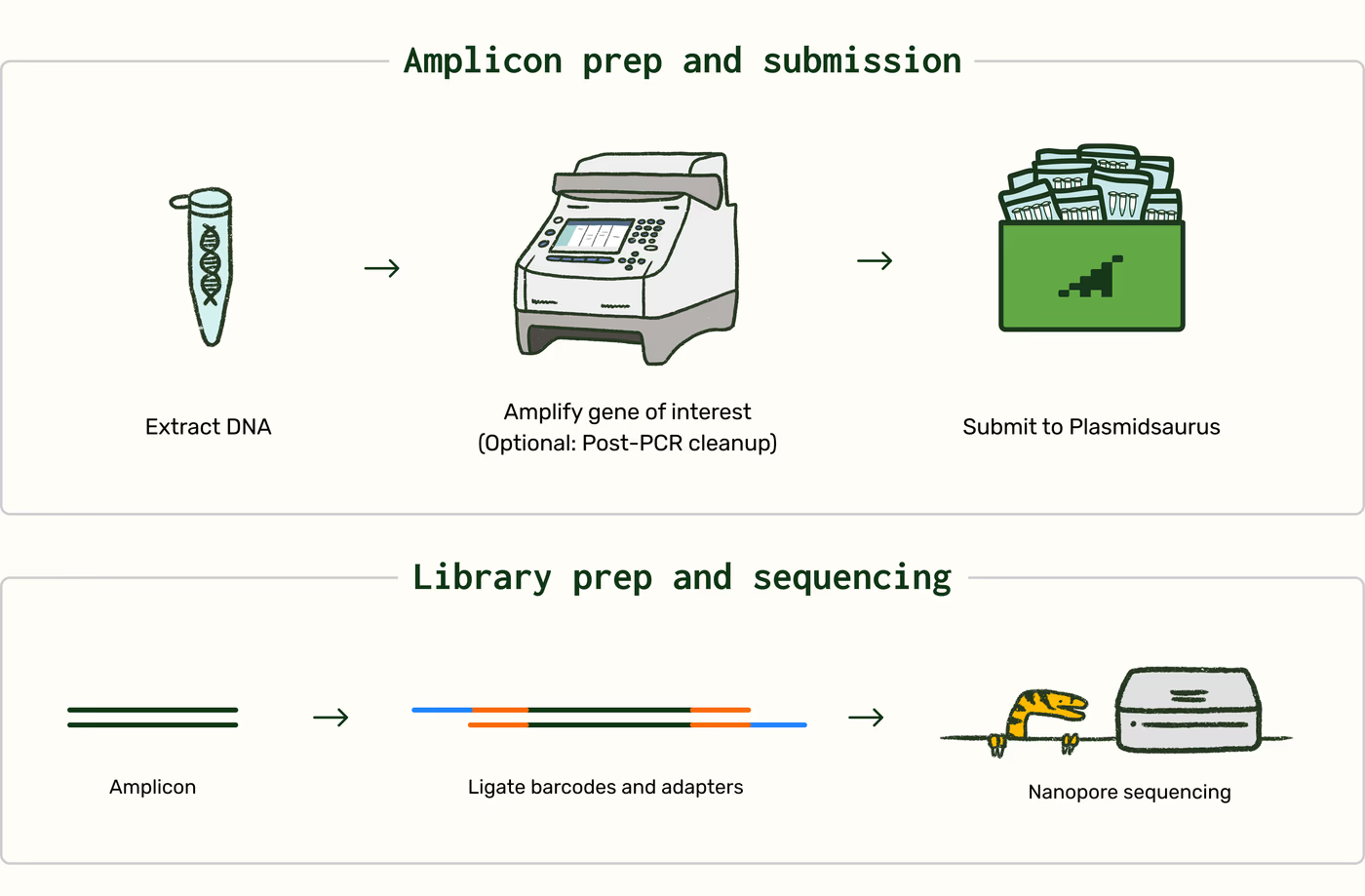
Samples may be submitted purified or unpurified with the sample cleanup option selected. Unpurified samples are cleaned up using a bead-based protocol before library preparation. Input DNA is not fragmented — full-length amplicons are preserved using an end-ligation library workflow built with Oxford Nanopore Technologies v14 chemistry. Libraries are sequenced primer-free on a PromethION 24 using R10.4.1 flow cells. Refer to the Sample Preparation Guidelines for detailed input requirements.
Bioinformatics
Raw sequencing reads are processed through an automated data analysis pipeline before delivery. The pipeline assembles and filters your amplicons, aligns reads to a reference, detects edit sites across your order, and reports the edited sequences found in each sample.
| Step | Description |
|---|---|
| Assembly and artifact filtering | Reads from each sample are assembled into amplicon sequences. Sequences that are likely PCR artifacts or unrelated to your primary amplicon are filtered out. |
| Reference selection and alignment | Reads are aligned to the user-uploaded reference sequence. If no reference is provided, one is inferred from the assemblies in your sample. |
| Edit window detection | Alignments are scanned for positions that show evidence of a gene edit, and those positions are grouped across all samples to define order-level edit windows. If you provide gRNA sequences, they are used to set the edit windows instead. The edit window is defined as the region of your amplicon in which edits occur. |
| Wild-type (WT) and gRNA selection | Reads within each edit window are compared across all samples in your order to identify the best-fit WT (unedited) sequence and gRNA, so results are consistent across samples with the same amplicon and cut site. If gRNA auto-detection fails, you can upload your gRNA sequence. |
| Variant calling and reporting | Reads at each edit window are grouped by variant and quality filtered to produce a well-supported list of edited sequences. Editing efficiency, the percentage of reads with an edit at the cut site, and knockout rate, the percentage of reads with a frameshift edit at the cut site, are reported for each sample. |
Data and deliverables
Filename key
ORDERCODEUnique order identifier, such as
JPY6QT.OSIDOrder-sample identifier, such as
JPY6QT_1, used to trace files back to a specific tube.SAMPLECustomer-provided sample name, such as
Control_rep_1. Used with the OSID in filenames like<OSID>_<SAMPLE>.
Download results button <ORDERCODE>_results.zip
Results generated from the automated data analysis pipeline.
| File or deliverable | Description |
|---|---|
<ORDERCODE>_edit-analysis/<ORDERCODE>_order_summary.tsv | Summary of all samples within your order with one row per analyzed cut site, including editing efficiency, knockout rate, the top edit, the number of reads that map to your amplicon, and other metrics. |
<ORDERCODE>_edit-analysis/<OSID>_editing_results.tsv | Editing results for each sample, summarizing each analyzed cut site and every detectable edited sequence with summary statistics. |
<ORDERCODE>_edit-analysis/<OSID>_reference_sequence.gbk | Annotated sequence of the user-uploaded reference sequence with feature annotations generated using pLannotate. |
<ORDERCODE>_fasta-files/<OSID>_<SAMPLE>.fasta | Consensus sequence generated from the raw sequencing reads. |
<ORDERCODE>_genbank-files/<OSID>_<SAMPLE>.gbk | Annotated consensus sequence with feature annotations generated using pLannotate. |
<ORDERCODE>_histograms/<OSID>_<SAMPLE>.png | Read-length histograms showing the distribution of raw-read lengths generated from the sample. |
<ORDERCODE>_per-base-data/<OSID>_<SAMPLE>.tsv | Raw read support for each base call. The table version of the per-base graph in your online results page. |
<ORDERCODE>_gel.png | Virtual gel diagram. Read lengths from every sample in the order, displayed in a format resembling a DNA gel. |
FASTQ button <ORDERCODE>_fastq.zip
| File or deliverable | Description |
|---|---|
<OSID>_<SAMPLE>.fastq.gz | All raw reads from your sample. |
Online results page
| File or deliverable | Description |
|---|---|
| Summary table | Editing efficiency and knockout rate for each sample in your order, with an editing view at your cut site for side-by-side comparison of samples. |
| Feature annotations and mutation summary | Your amplicon’s annotations aligned to your uploaded reference sequence, with a per-base graph showing where deletions, insertions, or mismatches occurred. gRNA and PAM positions are highlighted. |
| Nucleotide composition view and read alignment | Base composition across the edit window. Hover for base frequencies and coverage. Each edited sequence at your cut site is aligned against your reference, with its frequency in a sample. gRNA and PAM positions are highlighted. |
Troubleshooting
Edit Efficiency - Small Edits sequencing status is determined by raw read yield. A sample is considered unsuccessful when it does not produce the minimum read target for the selected service level (see Reruns). Editing results are not used to determine completion status. A sample with no detectable editing can still be a successful sequencing result.
Although the exact cause of an unsuccessful or unexpected result cannot always be determined, the most common causes are samples that do not meet input requirements, off-target or non-specific PCR products, and reference or gRNA sequences that do not match the sample.
| Issue | Possible cause | Recommended action |
|---|---|---|
| No reads or fewer reads than expected | Sample does not meet input requirements, for example, an amplicon shorter than 100 bp or DNA submitted below the required concentration | Check that your sample meets the Sample Preparation Guidelines, quantify DNA with a Qubit or equivalent fluorescence-based assay, and request a rerun if eligible. |
| Few reads map to your amplicon | Off-target amplification, a non-specific PCR product, or an incorrect reference sequence | Confirm that the uploaded reference sequence matches your amplicon, and review the virtual gel and read-length histogram in your results. If an unexpected product is present, confirm a single product on a gel before resubmitting. |
| Edits detected outside the expected cut site | Incorrect gRNA sequence uploaded, or the gRNA was not inferred correctly | Verify your gRNA sequence. |
To support optimal sequencing results, follow the recommended Sample Preparation Guidelines for input amount, concentration, purity, and buffer conditions.
Reruns
Rerun eligibility depends on the service level:
| Service level | Rerun eligibility |
|---|---|
| Standard (1% detection) | <1k reads |
| High (0.1% detection) | <4k reads |
Before approving a rerun, Plasmidsaurus will evaluate whether the remaining sample quantity and quality are sufficient for repeat processing. A reference sequence may also be requested to support the evaluation.
Depending on the sample, additional preparation may include:
- Measurement of DNA concentration and/or purity
- Sample cleanup using the cleanup option for an additional $5 per sample
- Concentration normalization
To request a rerun, or for questions about sequencing results or rerun eligibility, contact emily.blair@plasmidsaurus.com.
PS-0029-E | v1.0 | Revised Oct. 16, 2026